IPTV Box Price: Typical Ranges, and When You Can Skip a Box
The IPTV box price is the one-time cost of a small player you might not need. Many US homes already own a Smart TV, a Fire TV device or a phone. A computer can run a player too, so a new player is often optional. CompareIPTV does not rent a box, and the plan price sits apart from hardware.
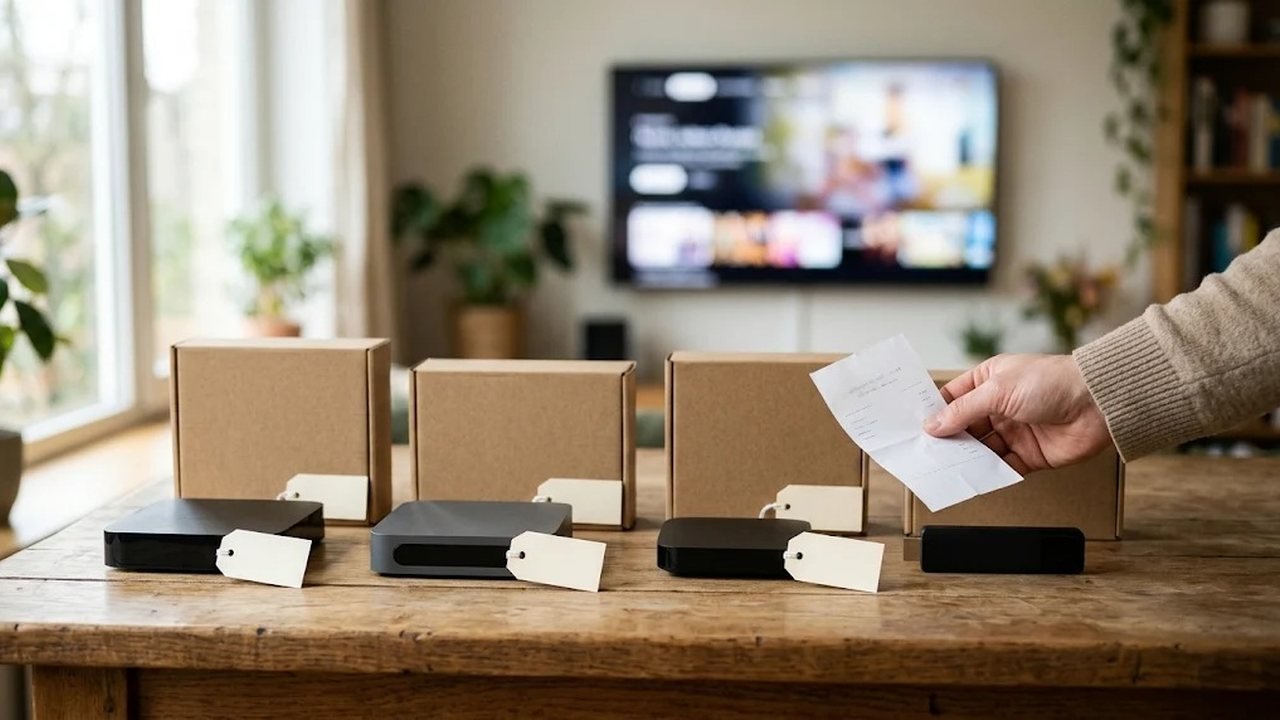
These are broad ranges, rather than a quote for any brand. Shelf tags move with the season and with sales, however. So use the bands to plan, then check a store yourself before you buy.
What an IPTV box price usually includes
An IPTV box price usually covers the player, a remote and a power cord. Your internet bill stays separate, however. The streaming plan is also separate. We do not rent hardware, so this purchase should be a single store receipt.
Think in three bands. A basic streaming stick often lands around $30 to $60. Compact Android TV pucks often land around $50 to $90. Larger Android boxes, with ethernet and more storage, often land around $80 to $150. Together, that span is roughly $30 to $150 for almost every living room.
Skip a forum bundle that pairs a mystery box with a lifetime login. Buy the hardware at a normal store, and buy the plan on the IPTV plans USA page. The two receipts should stay separate, so a hardware return does not tangle the login. Support sends that login on WhatsApp after payment, usually within minutes.
Sticks, pucks and larger Android players
A stick is enough for plenty of rooms. It hides behind the TV, and it handles HD, plus many 4K streams, when the internet is steady. Choose a remote you like, because you will hold it every night. Ethernet is rare on sticks, so the Wi-Fi spot matters more.
A puck or a small player adds ports. Ethernet is the useful one, especially if the TV sits far from the router. Extra storage also helps when you keep more than one app. You do not need a gaming machine for live channels, however. Picture quality follows the stream and the network.
A larger player in the $80 to $150 band makes sense for ethernet and a solid remote. Extra app space is a bonus. It makes little sense as a cure for weak Wi-Fi in another room. Run a cable, or move the router, before you spend more. The Fire TV page covers stick setup if that shape is the one you buy.
How an IPTV box and its price shift by category
Prices overlap, because stores discount last year’s stick while a new puck sits at full price. Color and remote style also move the tag. A pro label on the carton does not sharpen local news on a modest TV. In fact, a calm Wi-Fi signal beats a fancier shell.
Budget a little for a free HDMI port and, if you need it, a short ethernet cable. Those are ordinary accessories, however. Also check the return window at the store, so a dead remote on day two is their problem. Our plan refund is a different rule, since it covers 24 hours and only a service issue support cannot fix.
Roku TVs are a special case. The Roku system, however, often will not run the same Android player other sets use. A stick in a spare HDMI port is the usual fix. Then you change inputs when you want live channels. That stick still belongs in the low band above, with the other small players.
One-time IPTV box hardware versus the plan price
Hardware is a one-time cost. The plan is also a one-time cost, for the length you pick, and it does not auto-renew. People sometimes blend the two into an imaginary monthly rental, however. That rental is not how CompareIPTV bills. One month is $12.99, three months are $24.99, six months are $44.99, and twelve months are $74.99.
A stick from the low band plus a one-month plan is a small experiment. The same stick plus a 12-month plan is a full year of TV with an inexpensive remote. You can divide the year price by twelve if you think in months, but you still pay it once. Cable box rental, however, returns on the bill until you close the account.
If two rooms watch together, add devices at checkout. On the 12-month plan, extra connections cost less, so two devices are 25% off and three devices are 50% off. The IPTV player comparison helps you match an app to each screen. A second stick is optional hardware instead of a second plan.
Screens that need no new hardware
You can skip a purchase when the current screen already runs a player. Samsung and LG Smart TVs can also install one from their stores. A Fire TV device you already own is ready for the free 8K Player. You can also play a trial tonight on a phone, a tablet, a PC or a Mac.
Apple TV works with a player that accepts an M3U link or Xtream codes. A Roku set, as noted, usually needs the stick instead. A MAG box you already own can take a portal login from support. In other words, gear you have carries a hardware cost of zero, which beats every band above.
So start on that screen. Ask for a free trial, then follow how to set up IPTV there. If the picture is steady, however, you may never shop for another player. If the app feels clumsy, a stick is a comfort purchase after the trial, instead of a requirement before it.
When the picture is already steady
Keep the current screen if the trial looks calm on a wired link. Then a purchase can wait. A new remote is only a comfort, since the channels themselves stay the same.
A simple order for the IPTV box and the price
Use this order so the spend stays modest.
- Try the service on a TV, phone or computer you already have.
- If that screen feels clumsy, price a stick in the low band.
- Choose ethernet when the TV sits far from the router.
- Buy the device from a store with a clear return window.
- Order the plan separately, and keep both receipts.
- Add a device slot for every room that will watch at once.
Check the IPTV box price only after the first step. A fair IPTV box price is the smallest player that makes the remote feel easy. Anything past that is taste, however. The channel list does not grow because the carton was heavier.
We sell plans, so use the IPTV provider comparison as a checklist, including on us. Then compare lengths on the plans page linked above. The cable cost article explains where a cheap player still fails to save money if the old TV package stays. Device questions can also go to the contact page.
For the longer history of dedicated TV hardware, see the set-top box article on Wikipedia.
Frequently asked questions
What is a realistic IPTV box price?
A basic stick often falls around $30 to $60, a compact Android puck around $50 to $90, and a larger Android box around $80 to $150. Store tags move, so treat these as broad ranges.
Can I watch without buying any new hardware?
Yes. A Samsung or LG Smart TV, a Fire TV device you already own, a phone, a tablet, a computer or Apple TV can run a compatible player. Many homes never buy a separate box.
Is the hardware a monthly rental?
Hardware you buy is a one-time cost. CompareIPTV does not rent a box. You also pay once for the plan length you choose, with no auto-renewal.
Does a higher device price mean a clearer picture?
Picture quality follows your internet and the stream. A costly box cannot repair a weak Wi-Fi link in another room. Test on ethernet before you spend more.