What to Check Before You Buy an IPTV Subscription
People who buy IPTV subscription access want the price, the login and the refund rule in one place. CompareIPTV sells four one-time plans for viewers in the United States. Nothing renews by itself, so a cancel button never enters the picture. This page covers the checks, the four prices, WhatsApp activation and the 24-hour rule.
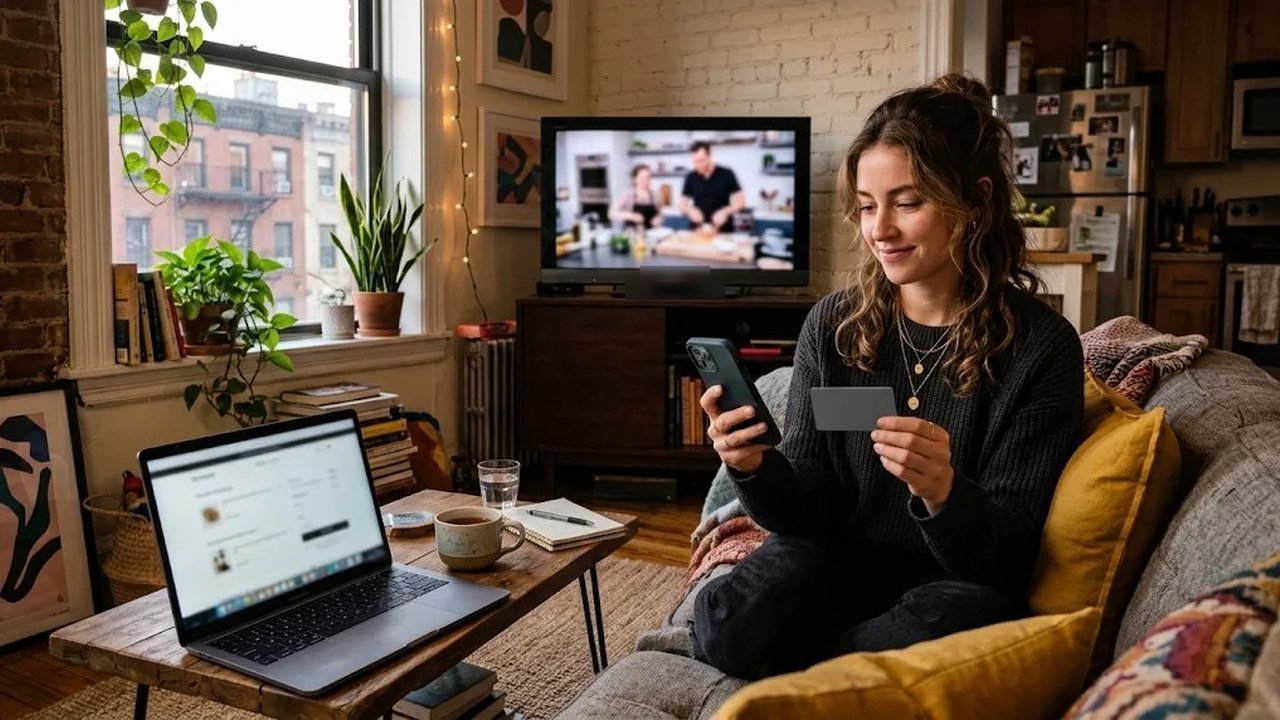
Channels travel as Internet Protocol television. A renter in Phoenix and a family in Columbus can share the same plan type. Each home signs in on the screens it already owns.
What to check before you buy an IPTV subscription
Start on your real night connection. Then open local news, one live sports channel and a movie. A noon test, however, can look calmer than a real evening. Also note the app you will keep, because the paid login uses that same app.
Many households buy IPTV subscription time only after that night test. Next, decide how many screens will play together. One screen comes with every plan. At checkout you can choose two or three devices instead. On the 12-month plan, two devices come with 25% off the extra connection. Three devices come with 50% off the extra connections.
In addition, read the refund rule before you pay. The window is 24 hours and covers a genuine service issue only. Also confirm the folders you want, such as local news, kids, Spanish-language or international. Besides, check that your internet can hold the picture size you want. Finally, keep WhatsApp handy, since the login arrives in that chat.
We sell our own plans, so read comparisons with that in mind. The IPTV provider comparison explains the checklist. It still works for any provider, including us. Our guide to choosing a provider adds a few more questions.
Four one-time plan lengths
Every length, however, opens the same catalog. You get 57,000+ live channels and 235,000+ movies and series. Picture options run from SD to HD and Full HD. Some streams add 4K where the source offers it. A 7-day program guide shows tonight and the week ahead. Catch-up works on supported channels.
We group the live list so a remote stays usable. Folders cover US local news, entertainment, live sports channels, premium sports packages and PPV events. Kids, Spanish-language and international groups sit in the list too. Those run from Indian and Arabic to Filipino, Caribbean and European channels. Movies and series stay in the on-demand library.
| Plan | Price | Fits a household that |
|---|---|---|
| 1 month | $12.99 | Wants a full month after the preview. |
| 3 months | $24.99 | Covers a sports season or a summer rental. |
| 6 months | $44.99 | Splits the year between two homes. |
| 12 months | $74.99 | Has left cable and wants a long stretch. |
Prices are one-time payments in US dollars. After the period ends, the login simply stops. You order again only if you still want service. Full choices sit on the IPTV plans USA page. The build wires the buttons, so this article never pastes a checkout address.
How to buy IPTV subscription access on WhatsApp
First, the handoff stays on your phone. Choose a length and a device count on the pricing page. Then pay once on the secure checkout. After that, we send an M3U link or Xtream codes on WhatsApp, usually within minutes. You paste the details into the player and open a channel.
- First, pick the length and the device count.
- Then pay once on the secure checkout.
- Next, open WhatsApp for the login or the playlist link.
- Finally, enter the details and play one channel.
Xtream codes suit most apps, because they bundle the server, username and password. An M3U link, instead, suits a player that only reads a playlist. MAG box owners can ask for a portal address in the same chat. If a menu looks unfamiliar, the setup guide covers each screen. Fire TV owners can follow the separate Fire TV Stick walkthrough.
The 24-hour rule after you buy an IPTV subscription
You have 24 hours from payment to ask. A refund is only for a genuine service issue that support cannot fix. For example, a login that never activates can qualify. Likewise, a line that never plays can qualify when the fault is ours.
Support tries to fix the problem first. If we cannot fix it within those 24 hours, you can request the refund. Change of mind is not a reason, because the plan never auto-renews. Setup help is free, so a confusing menu is not a refund case.
Short buffering, a slow connection and a brief outage fall outside the rule. A blank guide entry is a support task, not a refund. Missing HD or 4K is a licensing limit, not a broken login. An overused shared login is outside the rule too. If your internet provider restricts streaming, that limit is outside the rule as well.
Since the window is short, send the request quickly. Use WhatsApp or the contact page. Include the order details, the device, the app name and a short description. Add a screenshot if you have one. The refund policy spells out the same points. We recommend the preview before you pay, so you already know the picture.
Screens that can share one login
The login, however, works across brands. You do not buy IPTV subscription access for a single brand of TV. Samsung and LG Smart TVs can run a player from their own stores. Fire TV Stick and Android TV boxes can use our free 8K Player. iPhone, iPad and Apple TV can use an M3U player from the App Store. Windows PCs, Macs and MAG boxes work too.
Picture quality and home internet
Allow about 5 Mbps for HD, instead of jumping to 4K. Full HD wants about 10 Mbps, and 4K wants about 25 Mbps. A wired cable or a 5 GHz Wi-Fi band usually helps more than a bigger internet package. If two people stream at once, add their needs together. Otherwise the second screen may stutter while the first looks fine.
A calm way to decide
In fact, use the preview at your normal hour. Then compare the four prices on the plans page. The about page explains who runs CompareIPTV. Keep the login private, because a public post can knock your picture offline.
In short, when you buy IPTV subscription time from CompareIPTV you see the full price first. You get one login, a 7-day guide and support on WhatsApp. Activation usually lands within minutes after payment. Compare the lengths, request a preview and start when the picture looks right.
Frequently asked questions
Does the plan renew by itself?
No. Each plan is a one-time payment in US dollars. A new charge happens only if you order another period.
How does the login arrive?
We send an M3U link or Xtream codes on WhatsApp, usually within minutes after payment.
When can I ask for a refund?
Only within 24 hours of payment, and only for a genuine service issue that support cannot fix. Changing your mind is not a refund reason.
Can two TVs play at the same time?
Yes, if you choose two or three devices at checkout. On the 12-month plan, those extra connections are discounted.
Ready to test CompareIPTV on your own TV?
Start with a free WhatsApp trial, then compare our IPTV plan lengths and choose the one that matches how your household watches.